

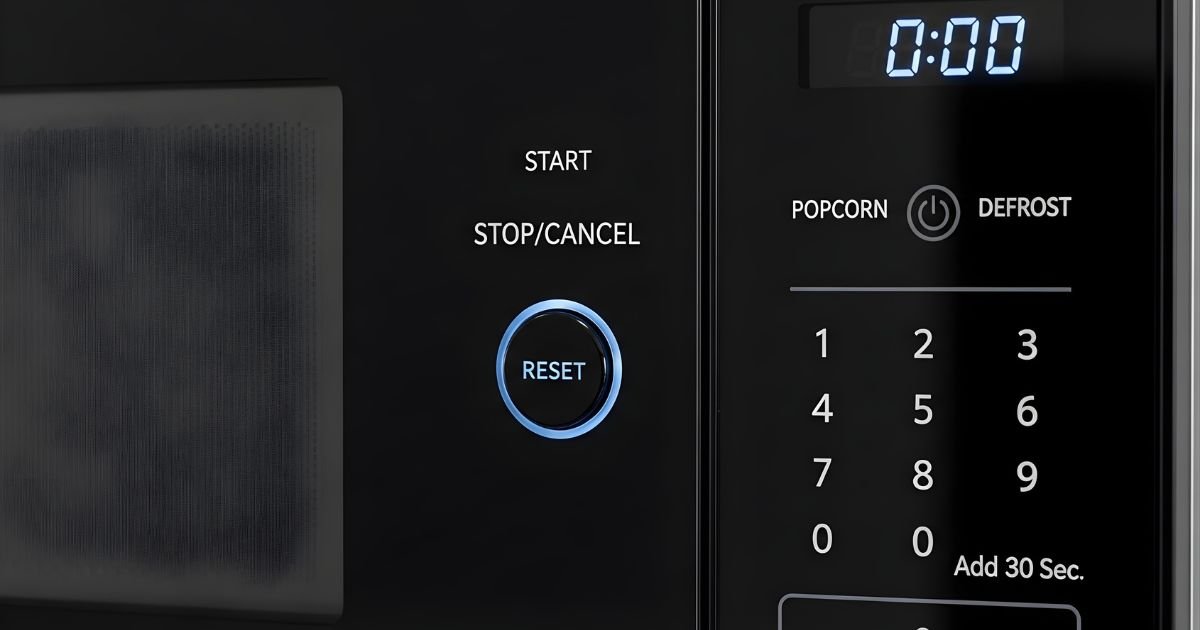
You might expect a reset button on many appliances, but most microwaves do not have a dedicated reset button. If your microwave acts up, you can usually reset it by unplugging it or using the Stop/Clear or Off/Clear button for a short soft reset, depending on the model. This quick step often clears minor errors and restores normal function.
If unplugging or using the clear button doesn’t work, the fix may need a few simple troubleshooting steps or a look at the manual for model-specific guidance. Knowing a couple of safe reset methods and basic checks can save time and keep you from calling for repairs.
Key Takeaways
- Most microwaves lack a special reset button but can often be reset using power removal or control-panel buttons.
- Simple troubleshooting and model-specific instructions solve many common microwave issues.
- Follow safe unplugging and manual checks before seeking professional repair.
Do Microwaves Have a Reset Button?
Many microwaves do not have a single, dedicated “reset” button. Users can often clear errors or restart electronics by unplugging the unit, using the control pad commands, or pressing specific buttons for several seconds.
Presence of Reset Functionality
Most consumer microwaves lack a labeled reset button. Manufacturers instead provide ways to clear errors or restart the control board.
Unplugging the microwave for 30–60 seconds is the most common reset method. This cuts power to the control board and often clears minor electronic faults.
Some models use a control-panel sequence to reset settings. For example, holding the Cancel or Stop button for 3–10 seconds can clear error codes or stop stuck programming.
If a microwave shows persistent errors after these steps, the issue may be hardware-related (door switches, fuse, control board) and likely needs service.
Types of Reset Buttons in Appliances
Appliances use different reset styles; microwaves usually borrow general approaches rather than a dedicated reset switch.
Table: Common appliance reset types
| Reset type | Where found | What it does |
| Dedicated reset button | Some dishwashers, washers | Restores defaults or clears faults |
| Power-cycle (unplug) | Many microwaves, small appliances | Reboots electronics by removing power |
| Button-hold on control panel | Microwaves, ovens, ranges | Clears programming or error codes |
| Circuit breaker / thermal fuse reset | HVAC, some dryers | Resets safety cutouts after cool-down |
Microwaves most often rely on power-cycling or a long-press of Cancel/Start. A few high-end models may include a factory-reset option in menus.
How Microwaves Differ from Other Appliances
Microwaves focus on simple user controls and safety interlocks rather than user-serviceable resets.
Unlike washers or ovens that sometimes include explicit reset buttons, microwaves emphasize door-switch safety and thermal fuses. Those parts often prevent power-up until repaired.
Control boards in microwaves are compact and sealed. That makes a visible reset switch less common because manufacturers prefer technicians to handle internal faults.
Users should consult the microwave’s manual for model-specific reset steps. If common resets fail, a qualified service technician should check fuses, door switches, and the control board.
How to Reset a Microwave Without a Reset Button
This section shows simple, safe ways to clear errors and restore normal operation. It covers cutting power, using built-in button sequences, and checking the model’s instructions.
Power Cycling the Appliance
Unplug the microwave or switch off its circuit breaker to remove all power. Leave it off for 60 seconds to let internal capacitors discharge and the control board fully reset. This often clears temporary faults and frozen displays.
After 60 seconds, plug it back in or flip the breaker on. Watch the display for factory default lights or a clock prompt. If the clock resets, that usually means the control board restarted.
If the microwave is hard-wired or behind built-in cabinetry, switch the home breaker for that circuit instead of unplugging. If there’s still a persistent error code after power cycling, avoid repeated attempts and move to the next steps or service.
Using Control Panel Functions
Press the clear/stop or cancel button to exit cooking modes and clear simple errors. Hold the button for 3–5 seconds on many models to force a soft reset of the control board.
Try these button sequences if the clear button does not work:
- Press Stop/Cancel, then 0, then Start.
- Hold 1 and 3 together (some brands use this combo).
- Enter the current time and press Start.
Only use the sequences recommended in the manual for that model. Avoid pressing random combinations for long periods; doing so can confuse the control board and make diagnostics harder.
Consulting the User Manual
Find the microwave model number on the door frame, inside the cavity, or on the back panel. Use that number to search the manufacturer’s website for the exact manual or troubleshooting guide.
Look for sections titled “Troubleshooting,” “Control Panel,” or “Error Codes.” The manual lists safe reset steps and specific button combos for that model. It also explains error codes, which helps decide if service is needed.
If the manual says to contact service, follow the warranty and safety instructions. Using the wrong procedure can void the warranty or risk shock from the high-voltage components.
Microwave Troubleshooting Steps
This section lists clear actions to try when a microwave stops working, shows errors, or behaves oddly. It covers simple resets, decoding common error codes, and when to call a technician.
Common Issues Solved by Resetting
Resetting often fixes unresponsive touchpads, frozen displays, and timers that won’t start. First, unplug the microwave or switch off its circuit breaker for 60 seconds. This hard power cycle clears temporary electronic faults in the control board.
If the microwave has a soft-reset option, press and hold the Cancel/Stop or Off/Clear button for 3–10 seconds. That can restore normal programming without cutting power. After any reset, test by heating a cup of water for one minute.
Check the door switch and latch if a reset does not help. A faulty door switch prevents the unit from starting even though the control panel looks fine. If the display shows weird characters after power loss, re-enter the clock and cooking presets.
Error Codes and Their Meanings
Error codes differ by brand, but some are common. E1, F1, or Err often point to keypad or control-panel faults. E2, F2, or Err2 can mean temperature sensor or thermistor issues. H8 or PF may indicate a power fluctuation or a failed safety interlock.
Refer to the Microwaves manual or the manufacturer’s website for exact code definitions. If the code appears after a reset and the unit still won’t work, record the code, model number, and what caused it (e.g., power outage). That information helps a technician diagnose the problem faster.
If the display does not show a clear code, look for blinking lights or repeated beeps and note the pattern. These clues often map to the same faults listed in service guides.
When to Seek Professional Help
If a hard reset and soft reset fail Microwaves , contact a qualified appliance repair tech. Call a professional when the microwave emits burning smells, sparks, loud humming, or when the door switch feels loose. Those symptoms suggest electrical faults or magnetron issues that require proper tools and safety procedures.
Also seek help if error codes persist after attempts to reset and simple fixes Microwaves . Provide the technician with the model and serial number, the exact error code, and what troubleshooting steps were tried. This speeds diagnosis and avoids unnecessary parts replacement.
Do not attempt to service Microwaves high-voltage components like the capacitor or magnetron. Those parts can hold dangerous charge even after the unit is unplugged.
Alternative Methods to Restore Microwave Settings
Unplugging the microwave, performing a factory reset, or clearing the clock and presets often fixes control-panel glitches. Each method resets different parts of the Microwaves memory and settings.
Factory Reset Procedures
If the microwave lacks a labeled reset button, unplugging it from the wall for 30 seconds to 5 minutes can force a basic reset. This cuts power to the control board and allows capacitors to discharge, clearing temporary errors. After waiting, plug it back in and test basic functions like start, stop, and timer.
Some models require a button sequence to restore factory defaults instead of power cycling. Common sequences use the Cancel/Off and Start buttons held together for 3–10 seconds. The exact steps vary by brand, so consult the user manual or the manufacturer’s website before trying. If the display shows an error code after reset, note the code and check the manual for specific troubleshooting steps.
Resetting Clock and Presets
Clock and preset cooking programs often survive a power cut, so users may need to reset them manually. To set the clock, press the Clock or Time button, enter the hour and minutes with number keys, and press Start or Clock again. For AM/PM models, confirm the correct period if the microwave requires it.
To clear or reprogram presets, open the Preset, Auto Cook, or Memory menu. Select the preset number, press Clear or Delete, then enter new time and power level and save with Start or Save. If presets won’t save or recall, repeat a power cycle first; persistent issues may indicate a failing control board and require service Microwaves .
Safety Precautions When Resetting a Microwave
Follow specific power and component steps to avoid shock, fire, or damage. Use firm actions: unplug correctly, avoid wet hands, and never open sealed covers or tamper with high-voltage parts.
Unplugging Safely
Always turn the microwave display to Off or press Cancel before touching the cord. Then grasp the plug — not the cord — and pull it straight out of the wall to avoid damaging wiring.
Wait at least one minute after unplugging before touching the exterior or control panel. This allows some internal capacitors to bleed down, lowering the risk of a shock from residual charge.
If the microwave is hard-wired or the plug is inaccessible, switch off the dedicated circuit breaker at the home panel. Label the breaker if others might restore power while work is underway.
Do not operate or test the microwave with wet hands. Keep liquids away from the plug and outlet to prevent short circuits and electric shock.
Handling Electrical Components
Never remove the outer case or service panels unless trained and the unit is unplugged. The high-voltage capacitor inside can hold a dangerous charge even after power is removed.
If the problem seems inside the chassis — burning smell, visible damage, or loud arcing — stop and call a qualified appliance technician. They have insulated tools and procedures to discharge capacitors safely.
When inspecting the power cord or outlet, look for frayed insulation, melted plastic, or scorch marks. Replace damaged cords or outlets; do not tape or temporarily splice them as a long-term fix.
Use only manufacturer-approved parts and follow the service manual for any internal replacements. Improper parts can cause more damage, void warranties, or create fire hazards.
Differences Between Brands and Models
Microwave reset options vary by manufacturer and model. Some brands use a simple power-cycle Microwaves , while others add software resets, diagnostic modes, or hidden panel buttons.
Popular Brands’ Reset Features
Some major brands include clear reset methods in their manuals. For example, Panasonic and Sharp commonly recommend unplugging the unit or flipping the breaker for 30–60 seconds to clear temporary faults. LG and Samsung often pair that advice with a control‑panel sequence (like holding Start or Cancel for several seconds) to reset the display or keypad.
GE and Whirlpool sometimes include a dedicated “reset” or “clear” key on touchscreen models. Countertop or basic microwaves from Hamilton Beach and Emerson usually lack special reset functions; power cycling remains the primary fix.
Users should check the model number and manual. Warranty and smart‑appliance features Microwaves can change reset behavior between similar products.
Notable Model-Specific Functions
High‑end or smart microwaves add features beyond a simple reset. Samsung’s smart models may reset network settings through an app or a menu option in the control panel. Panasonic inverter models can enter a service or diagnostic mode using a button sequence to run self-tests or clear error codes.
Some GE Profile and Whirlpool over‑the‑range models have a hidden reset switch behind the grille or a small recessed button on the back. Compact or built‑in units sometimes require a factory reset performed by a service technician to avoid voiding warranty.
Always consult the exact model’s manual before attempting hidden switches or diagnostic modes. This prevents accidental damage and preserves warranty coverage.
Maintenance Tips to Prevent Malfunctions
Keep the microwave clean, check seals and moving parts, and watch for signs of electrical or mechanical wear. Small, regular tasks cut the chance of failures and reduce the need to reset or repair the unit.
Routine Cleaning Practices
They should unplug the microwave before cleaning to avoid shocks. Wipe the interior after spills with a soft cloth and warm, soapy water. For stuck-on food, heat a bowl of water with a slice of lemon for 2–3 minutes, let it sit 5 minutes, then wipe away softened residue.
Clean the turntable and support ring weekly. Remove and wash them in the sink or dishwasher if the manual allows. Dry completely before replacing to prevent rust and poor contact Microwaves .
Wipe the door seal and latch area gently with a damp cloth. Avoid abrasive pads and harsh chemicals that damage seals. A damaged door seal can cause poor performance and should be inspected more often.
Regular Inspection Guidelines
They should inspect the door latch, hinges, and seals every month. Look for cracks, warping, or loose parts. If the door does not close firmly or the latch feels weak, stop using the microwave and contact a technician.
Check the power cord for frays, exposed wires, or bent prongs. If the plug or cord shows damage, replace it before using the oven again. Also confirm the outlet and circuit aren’t overloaded; a dedicated circuit reduces tripping and electrical problems.
Listen for unusual noises and watch for sparks, smoke, or burning smells during use. Any of these signs mean immediate unplugging and professional service. Keep a log of issues and repairs to track recurring faults.
