

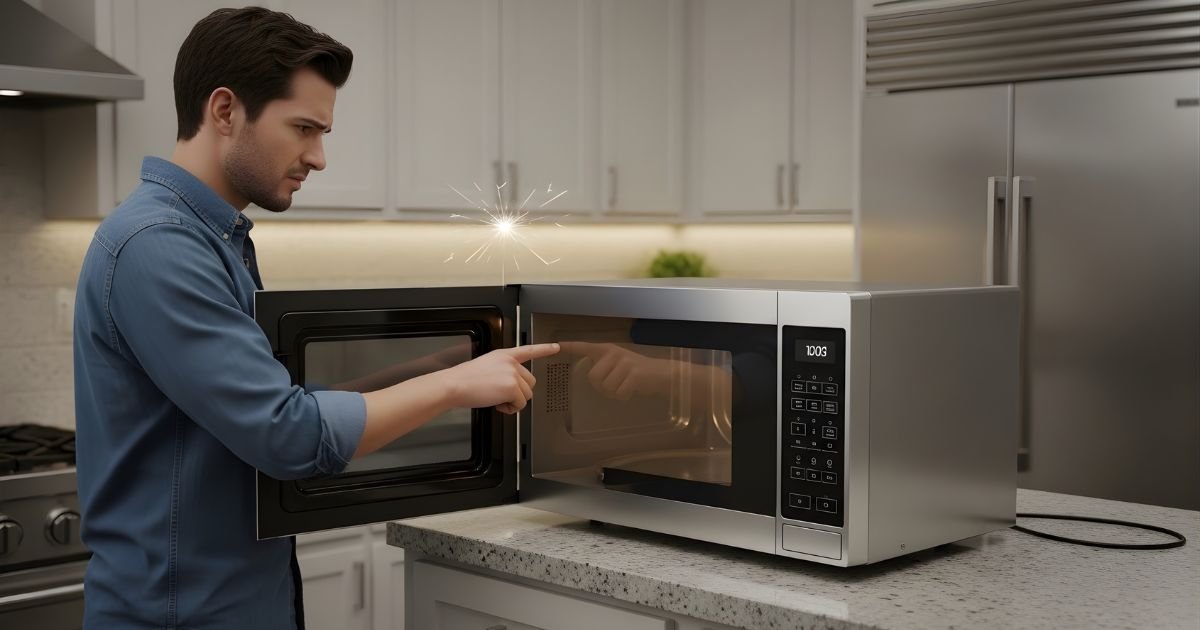
You rely on your microwave every day, so it feels frustrating when it suddenly stops working. Most of the time a microwave fails because of a simple power or door-switch issue, a blown fuse, or a worn-out internal part like the magnetron — problems you can often identify with basic troubleshooting.
If the unit is dead, check the outlet, circuit breaker, and the plug first, and then inspect the door latch and fuses. For internal faults or high-voltage parts you should consult a service manual or a qualified technician; microwave repair can be dangerous without the right tools and safety steps. For clear safety guidance and wiring basics, see resources from the U.S. Consumer Product Safety Commission and Energystar.
This article walks through common electrical faults, control and motor problems, overheating triggers, and simple fixes you can try, plus signs that mean it’s time to replace the appliance. It explains when to call a pro and how to avoid costly mistakes so you get your microwave working safely and quickly.
Key Takeways
- Check power sources and door switches before assuming a major fault.
- Internal high-voltage parts cause many failures and often need a technician.
- Know warning signs that mean replacement is safer than repair.
Common Electrical Issues
Microwaves often stop working because of basic electrical faults that cut power or block internal circuits. These problems are usually easy to spot and often repairable without replacing the whole appliance.
Power Supply Problems
Check the outlet and wall socket first. If the outlet has other appliances, test them to confirm the outlet supplies power. A loose plug or a half-inserted connection can prevent the microwave from turning on.
If the outlet is controlled by a wall switch or a timed outlet, that switch might be off. GFCI outlets in kitchens can trip; press the reset button to restore power. If the microwave still shows no display, try a different outlet on the same circuit to rule out wiring faults.
Look for burnt or discolored outlet faces and a buzzing sound from the wall, which suggest a wiring issue. In that case, cut power at the breaker and have a licensed electrician inspect the circuit.
Blown Fuse or Tripped Circuit Breaker
A blown internal fuse or a tripped home breaker stops the microwave immediately. If the microwave is dead but the outlet has power, the appliance’s internal fuse may have blown from a surge or internal short.
Locate the home circuit breaker panel and check the breaker for the microwave’s circuit. Reset any tripped breaker. For internal fuses, unplug the microwave, remove the service panel, and visually inspect the fuse for a broken filament or blackening. Use a multimeter to test continuity before replacing.
Only replace the fuse with the same type and rating. If fuses blow repeatedly, do not keep replacing them — that indicates a deeper fault like a shorted magnetron or capacitor. Contact a qualified repair technician for recurring fuse failures.
Faulty Power Cord
A damaged power cord can cause intermittent power or complete failure. Inspect the cord for cuts, pinches, fraying, or melted insulation, especially near the plug and where the cord enters the microwave cabinet.
If the plug pins are loose or bent, they may not make solid contact with the outlet. Replace a damaged cord rather than try to tape or splice it. Some microwaves have cord strain relief inside; if that breaks, the cord can pull loose from internal terminals.
When replacing the cord, use a manufacturer-approved or correctly rated cord and secure all terminal connections. If unsure about safely replacing the cord, hire a technician to avoid shock or fire risk.
Internal Component Failures
Internal parts can fail and stop the microwave from heating or powering on. Common fault points include the high-power parts that create and control the microwaves, plus safety interlocks that cut power when the door is open.
Magnetron Malfunction
The magnetron generates the microwaves that heat food. When it fails, the oven may run with light and turntable working but produce no heat. Signs include a burning odor, loud humming, or sparking sounds when running.
A failed magnetron often shows as zero voltage output when tested with proper equipment. Replacement requires discharging high-voltage components and removing the old tube; this is not a safe DIY task for most people. Technicians match part numbers and cooling fan condition because poor cooling shortens magnetron life.
Costs vary by model and age. Sometimes replacing the magnetron costs more than buying a new microwave, so owners should compare repair quotes and the appliance’s remaining useful life.
Defective Door Switch
Door switches tell the microwave it is safe to run. If one fails, the microwave may not start at all, or it might stop mid-cycle. Faulty switches often produce no response when the door closes or cause intermittent operation.
A technician checks switches with a multimeter for continuity when the door latch is pressed. If continuity is absent, the switch will be replaced. Replacing door switches is relatively inexpensive, but the job involves disassembling the door and alignment checks to keep the safety interlock reliable.
Repeated door slams or warped door frames can damage switches. Inspecting door hinges and gasket alignment helps prevent future failures.
Failed High Voltage Diode
The high-voltage diode converts AC to the DC needed by the magnetron. When it fails, the magnetron won’t get the correct voltage and the microwave won’t heat. Symptoms include a working light and controls but no heating, sometimes paired with a blown fuse.
Testing requires measuring diode resistance and ensuring proper discharge of the capacitor first. A faulty diode often shows open or shorted readings. Replacing the diode is moderately difficult and involves handling the capacitor safely to avoid shock.
After diode replacement, technicians also check the capacitor and transformer for related damage. Using correct replacement parts and safety procedures prevents repeat failures and reduces risk of injury.
Control Panel and Display Problems
Control panel and display issues are often the cause when a microwave seems dead or won’t accept commands. These problems usually fall into two areas: the keypad not responding, and the control board failing to process inputs or power the display.
Unresponsive Keypad
An unresponsive keypad can come from worn membrane buttons, spilled liquids, or a loose ribbon cable between the keypad and control board. If specific buttons never work, the membrane contacts may be damaged. If many or all buttons fail, check the ribbon connector at the control board; reseating it often restores function.
Electric shorting from spills can corrode traces under the keypad. Unplug the microwave, remove the outer cover, and inspect the keypad assembly for residue or burns. Cleaning with isopropyl alcohol and a soft brush can help, but replace the membrane if physical damage or faded traces appear.
If the keypad appears intact but still fails, test continuity with a multimeter or swap in a replacement keypad assembly. Technicians often replace the whole front panel because repairs to delicate membrane circuits rarely last long.
Faulty Control Board
The control board manages power to the display and reads the keypad. Common failures include blown surface-mount components, cracked solder joints, or failed voltage regulators that supply the display module. A blank or flickering display often points to board-level issues.
Inspect the board visually for bulging capacitors, burn marks, or cold solder joints. If the fuse and power source are good but the display is dead, test the board’s output voltages with a multimeter per the service manual. Reflowing solder or replacing a faulty regulator can fix some faults.
For many users, replacing the entire control board is faster and safer than component-level repair. Use the exact model number when ordering a replacement to ensure connector layouts and firmware match. If the board shows extensive damage, consult a qualified appliance repair technician.
Mechanical and Motor Issues
Mechanical parts and motors can stop a microwave from working even if it still powers on. Problems often show as loud noises, no rotation, or a door that won’t latch. These issues usually affect safety and cooking performance.
Turntable Not Spinning
A turntable that stops turning can cause uneven heating and make food take longer to cook. The first things to check are the glass tray, roller guide, and the hub under the tray. Food debris or a misaligned roller can block rotation. If these are clean and aligned, test the turntable motor by running the microwave empty for a short time while observing — if the motor hums but the tray doesn’t move, the motor coupling or drive bushing may be stripped.
Common causes and quick checks:
| Symptom | Likely cause | Quick fix |
| Tray won’t turn but motor hums | Worn coupling or broken drive | Replace coupling or drive bushing |
| Tray stuck or noisy | Debris under roller or warped tray | Clean and replace tray/guide |
| Motor silent | Failed turntable motor or fuse | Check continuity; replace motor or fuse |
If replacing parts is needed, unplug the microwave first. Turntable motors are usually inexpensive, but accessing them can require removing the microwave’s bottom panel. If the user is uncomfortable, recommend a technician.
Stuck or Broken Door Latch
A door that won’t latch properly can prevent the microwave from starting. Microwaves use several door switches that must all register closed before power flows to the high-voltage parts. A broken latch, bent strike, or failed microswitch stops that safety circuit.
Signs to inspect:
- Door won’t fully close or clicks repeatedly.
- Microwave shows no power or won’t start but display works.
- Sparking near the door or visible damage to the latch.
A simple test is to press the door switches with a non-conductive tool and listen for clicks. If a switch doesn’t click, check it for continuity with a multimeter. Replace damaged latches or switches and realign the door strike. Because door-switch failures affect safety, advise professional repair if the user is unsure or if multiple switches need replacement.
Overheating and Safety Mechanisms
High internal temperatures can stop a microwave from working. Built-in parts cut power to protect the oven and the home, and poor airflow makes the problem worse.
Thermal Fuse Activation
A thermal fuse sits near the magnetron or other heat-producing parts. When temperatures exceed a safe limit, the fuse blows or trips and cuts power to the microwave’s high-voltage circuit. This prevents further heating and protects components from melting or catching fire.
If the microwave stops heating but lights and the turntable still run, a tripped thermal fuse is a common cause. Replacing a blown thermal fuse requires unplugging the oven, disassembling the casing, and testing the fuse with a multimeter. Only a qualified technician should replace high-voltage parts, because the capacitor can hold lethal charge even when unplugged.
Ventilation Blockages
Air vents and cooling fans clear heat from the magnetron, transformer, and capacitor. Dust, food debris, or obstructed exhaust routes reduce airflow and let temperatures climb quickly. Poor ventilation often shows as hotter-than-normal cabinet surfaces or a fan that runs loudly or not at all.
To fix ventilation issues, unplug the microwave and clean vents with a soft brush or vacuum. Check that the fan spins freely and that external vents aren’t blocked by cabinetry. If the fan motor fails or internal ducts are damaged, a technician should replace those parts to restore safe cooling.
User Errors and Misuse
Many microwave issues come from how people use them. Simple mistakes like wrong cook settings or crowding the cavity can stop heating or trigger safety cutoffs.
Incorrect Settings
Using the wrong power level or timer often causes food to undercook or burn, which can make people think the microwave failed. Selecting “defrost” for a full dinner or setting power to 10% for a long cook time will leave food cold while the oven appears to run. Some models have preset sensor modes; if the sensor is blocked by a dish or steam, the cook cycle may end early.
Timers left at zero, delayed start settings, or active child locks also prevent heating. Users should check the display for lock icons, ensure the correct power level (usually “High” for reheating), and set an appropriate cook time. Resetting to a simple 1–2 minute High cycle helps confirm the unit actually heats.
Overloading the Microwave
Placing too much or too-large food inside reduces airflow and stops even heating. Crowding a turntable can prevent it from rotating, which leads to cold spots and longer run times. Very heavy or oversized cookware can stress the motor or jam the turntable mechanism.
Stacking multiple dishes or using metal containers causes sparks or blocks energy distribution. Users should heat one dish at a time, use microwave-safe containers, and leave a few centimeters of space around items. If the turntable won’t spin, remove items and test with a light container to avoid damaging the drive or magnetron.
When to Repair or Replace Your Microwave
Decide based on repair cost, safety, and the microwave’s age. If parts and labor cost less than buying a new unit and the oven is under 7–10 years old, repair often makes sense. If safety parts like the door or high-voltage components fail, replacement may be better.
Assessing Repair Costs
He should first get a written estimate for parts and labor. Common parts like a fuse or door switch often cost under $50, but a magnetron or high-voltage capacitor can cost $100–$300 plus labor. Compare the total repair quote to the price of a new microwave of similar size and features.
Factor in warranty coverage and service fees. If the appliance is still under manufacturer warranty or a home warranty, the out-of-pocket cost may be much lower. Also consider the technician’s diagnostics fee; some shops waive it if they do the repair.
Think about energy efficiency and features. Newer models often use less power and have updated safety features. If the repair eats up more than half the cost of a new unit, replacement usually provides better value.
Signs of Irreparable Damage
They should not repair microwaves with visible door frame damage or bent door latches. These parts keep radiation sealed; if they are warped, the unit is unsafe even after other repairs. Replacement is the safest choice in such cases.
Severe electrical failures also point to replacement. If the control board, magnetron, and high-voltage transformer all fail, repair costs climb quickly and reliability drops. Replacing multiple major components often costs more than a new microwave.
Age and repeated failures matter. If a microwave older than 10 years needs frequent fixes or shows signs of internal rust and corrosion, replacement prevents future breakdowns and potential safety risks.
FAQs
What should they check first if the microwave won’t turn on?
They should first check the power source: ensure the plug is secure and the outlet works. Try another device in the same outlet or reset the circuit breaker.
Why does the microwave run but not heat?
This often means the magnetron or high-voltage components failed. Those parts require a trained technician to diagnose and replace safely.
Is it safe to keep using a microwave that sparks or smokes?
No. Sparking or smoke can signal electrical faults or damaged interior parts. They should unplug the unit and stop using it until a repair professional inspects it.
Can a blown fuse or door switch cause total failure?
Yes. A blown fuse or a faulty door switch can cut power to the microwave and prevent it from starting. Replacing these parts can fix the issue, but safety precautions matter.
When is repair worth it versus replacement?
They should compare repair cost to the microwave’s age and price. If repair costs approach half the price of a new unit, replacement is usually the better choice.
How can they prevent future problems?
Regular cleaning, avoiding metal inside the cavity, and not running the microwave empty reduce wear and risk. Simple care extends the appliance’s life and limits surprises.
Who should they call for repairs?
They should contact an appliance repair technician experienced with microwaves. For newer models under warranty, they should check manufacturer service options first.
Conclusion
Microwaves fail for many simple reasons, such as a tripped breaker, a blown fuse, or a loose power cord. These issues are easy to check and often fix without professional help.
More complex faults include a bad door switch, failed control board, or a worn magnetron. Those parts can be dangerous to inspect and usually need a trained technician.
Regular maintenance helps prevent many common problems. Cleaning vents, avoiding metal inside, and not running empty can extend life and reduce repair costs.
When safety is a concern, unplug the unit and stop using it. If the microwave sparks, smells of burning, or shows electrical faults, they should contact a repair pro.
